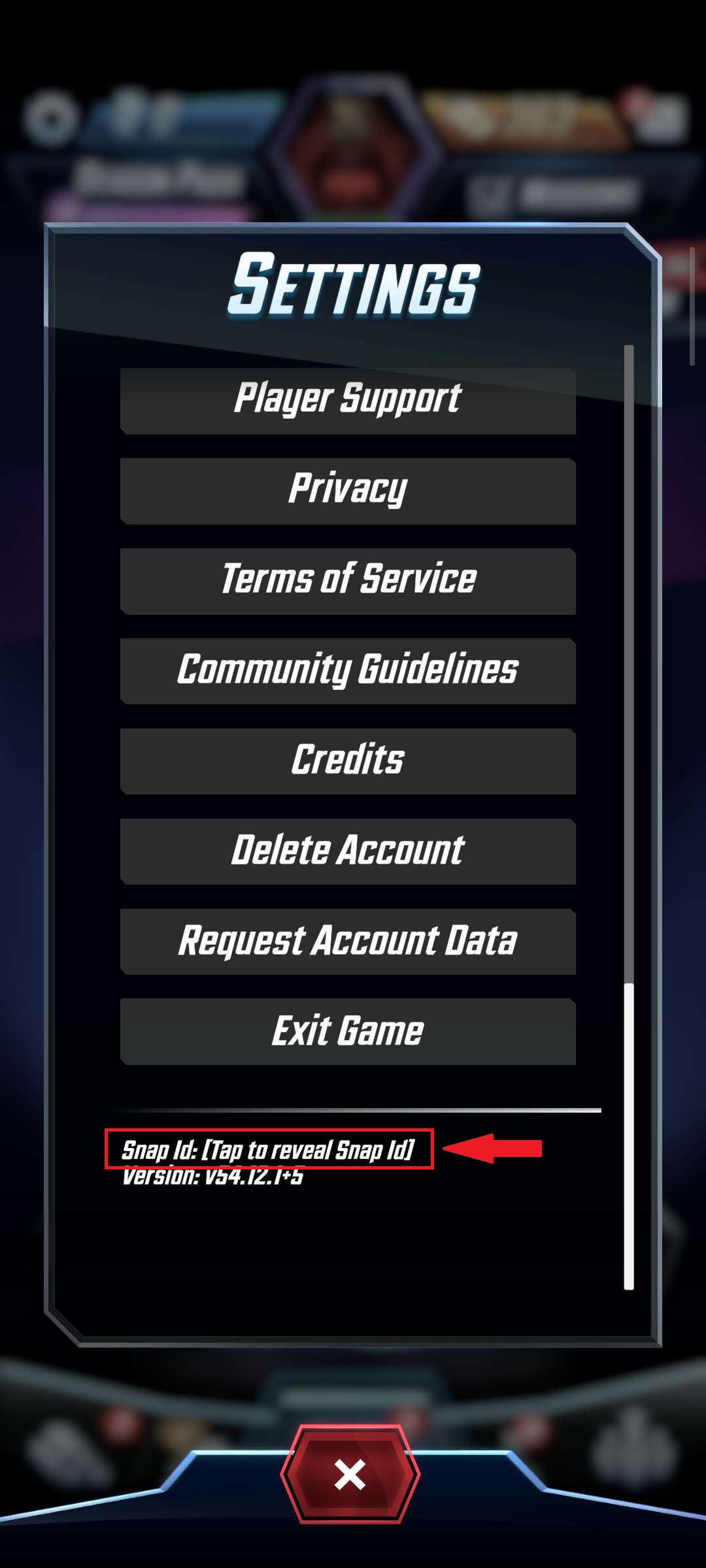
Images and steps below will help you navigate to get the Snap ID.
Steam
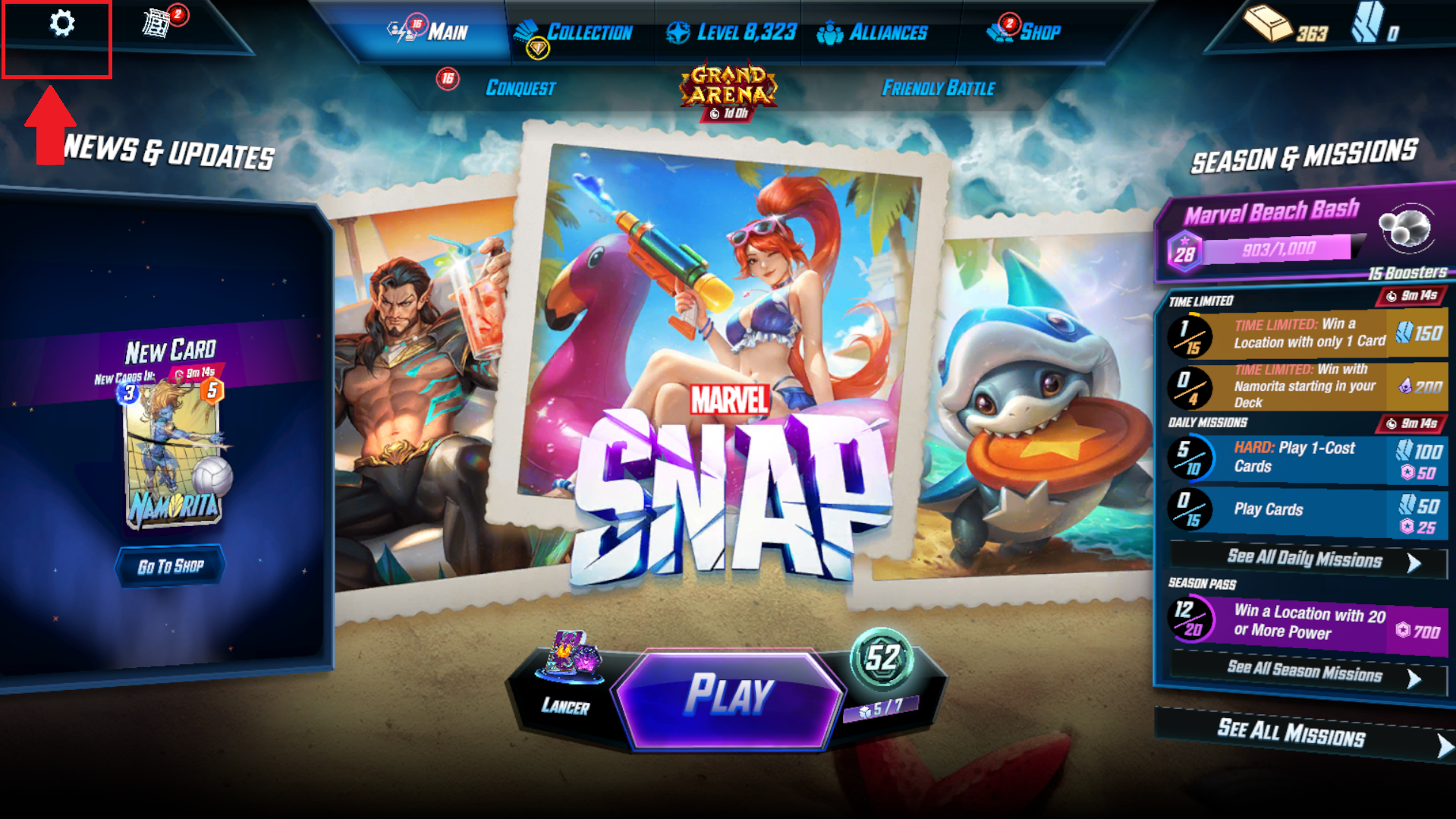
- Open Marvel Snap.
- Tap the Settings icon (gear) in the upper-left corner.
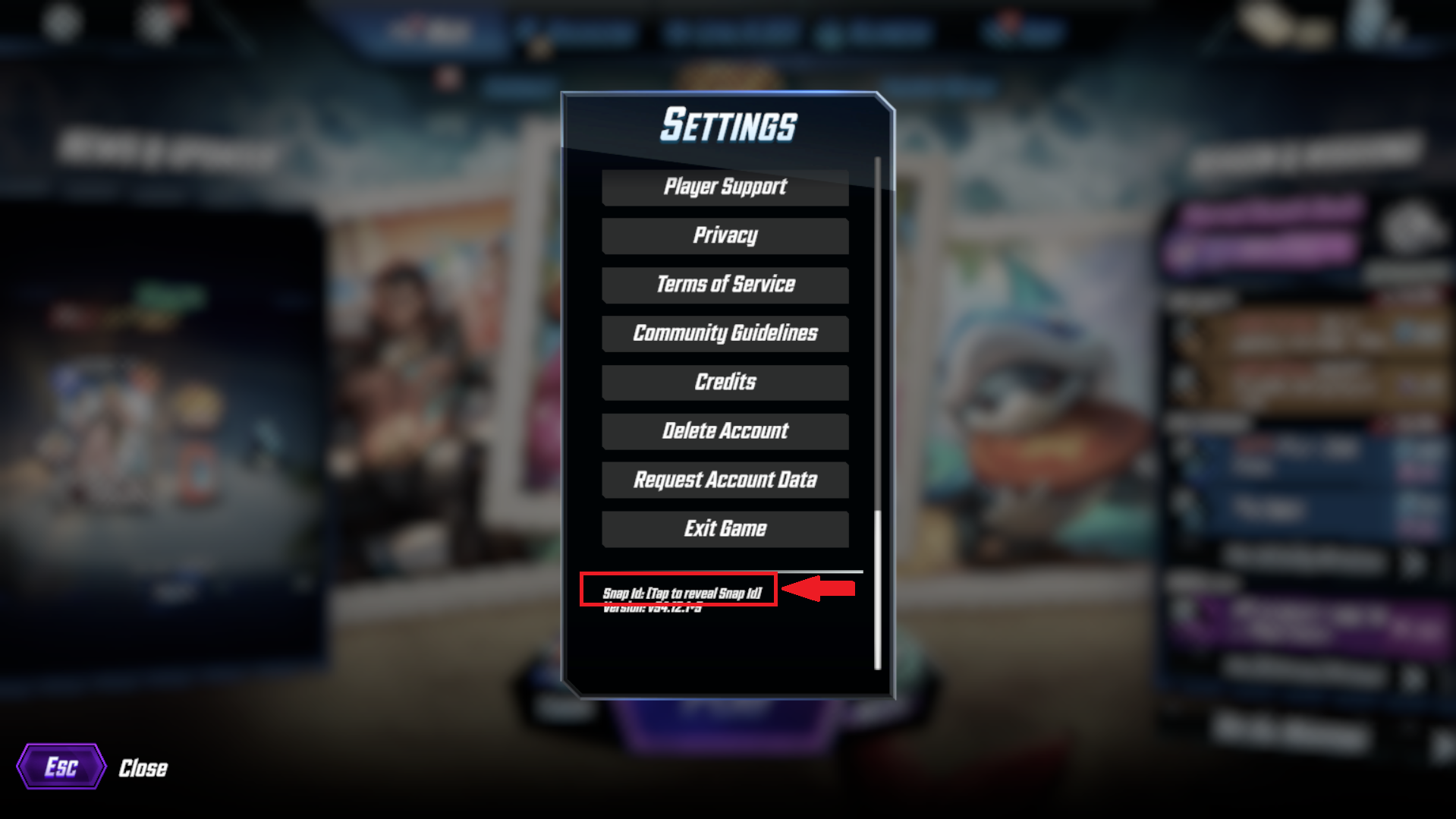
- Scroll all the way to the bottom of the Settings menu.
- Look for "Tap to reveal Snap ID" and tap it.
- Tap the revealed Snap ID again to copy it to your clipboard.
Mobile App
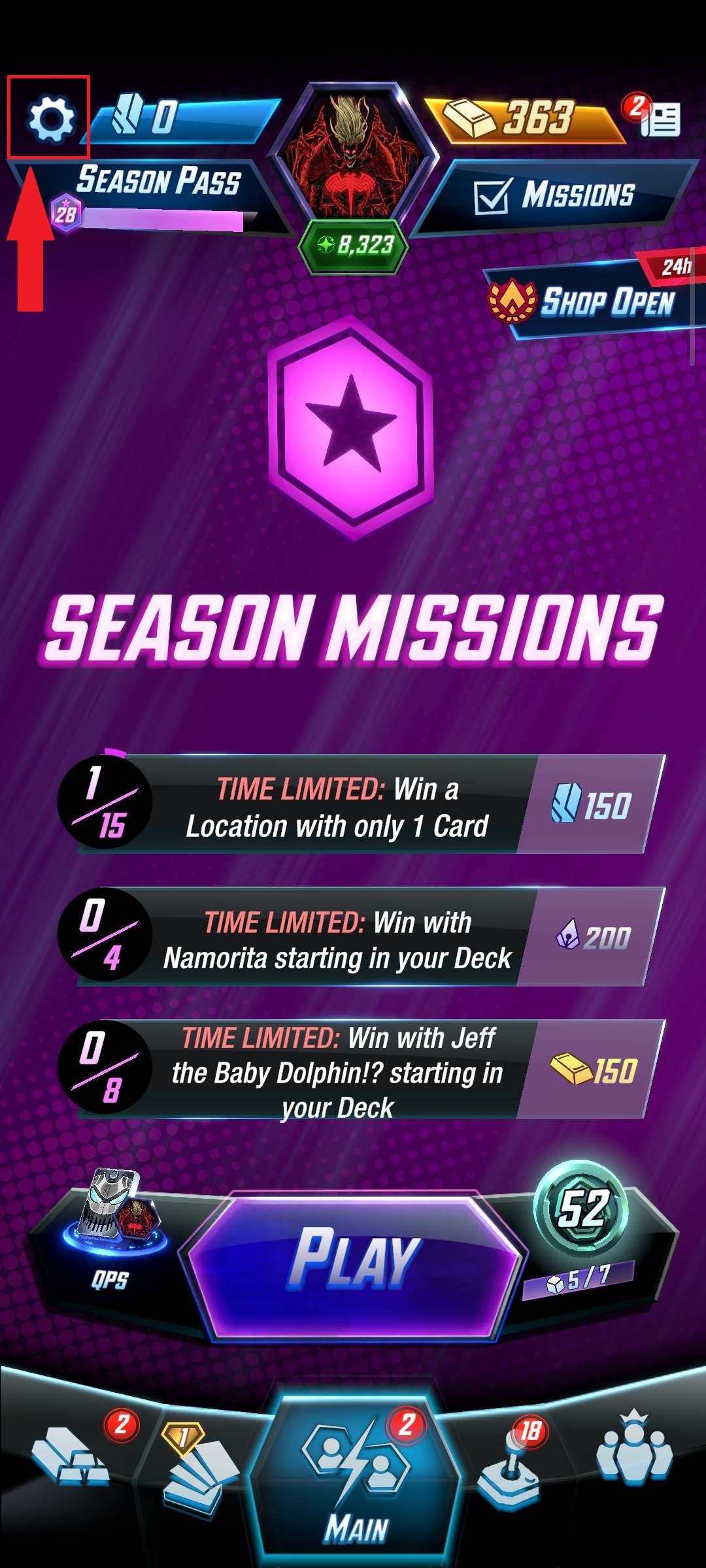
- Open Marvel Snap.
- Tap the Settings icon (gear) in the upper-left corner.
- Scroll all the way to the bottom of the Settings menu.
- Look for "Tap to reveal Snap ID" and tap it.
- Tap the revealed Snap ID again to copy it to your clipboard.